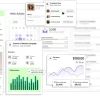
Figma Description
Figma is a cutting-edge web-based interface design tool that has revolutionized the way teams collaborate on design projects. Founded by Dylan Field and Evan Wallace, Figma has rapidly emerged as a favorite among UX/UI designers, graphic designers, and web developers alike. The platform operates under the philosophy that design should be accessible, inclusive, and collaborative, which is evident in its user-friendly interface and robust feature set that supports real-time collaboration across the entire design process.
As a company, Figma Inc. has consistently pushed the boundaries of traditional design tools by incorporating cloud-based technology that allows users to work together from anywhere in the world. The seamless integration of design and prototyping tools enables teams to bring their ideas to life faster and more efficiently than ever before. Figma's growth has been bolstered by a strong community of designers who share templates, host webinars, and contribute to an expansive resource library, fostering an environment of continuous learning and improvement.
Key Features of Figma
- Real-time Collaboration: Figma's standout feature is its ability to let multiple users work on a design simultaneously. Team members can see each other's changes in real-time, comment directly on the design, and even co-edit files, which greatly enhances teamwork and expedites the design process.
- Vector Networks: Unlike traditional vector drawing tools, Figma’s vector networks simplify the process of creating complex shapes. This feature allows designers to manipulate vectors with precision and flexibility, making it easier to explore creative layouts and iconography.
- Component System: Figma offers a robust component system that helps maintain consistency across a project. Designers can reuse components (like buttons, widgets, and navigation elements) across different files and projects, ensuring uniformity while saving time.
- Prototyping and Animation: Integrated prototyping tools enable designers to create interactive prototypes without switching apps. This includes linking screens, adding transitions, and even fine-tuning animations to provide stakeholders with a closer look at the user experience.
- Cross-Platform Accessibility: Being browser-based, Figma is accessible on any platform with internet access, including Windows, Mac, Linux, and Chrome OS. This accessibility ensures that team members can contribute regardless of their preferred operating system.
- Plugins and Integrations: Figma supports an array of plugins and integrations that extend its capabilities, allowing users to add features like accessibility checks, real-time code generation, and more directly into their workflow.
- Version Control: Figma automatically saves versions of projects, making it easy to track changes and revert to previous versions if necessary. This feature is invaluable for maintaining the integrity of the design process and ensuring that no work is lost.
Figma continues to innovate and expand its capabilities, making it an indispensable tool in the modern design landscape. Whether you're a freelancer, part of a startup, or working in a large enterprise, Figma offers tools and features that can help streamline your design process and enhance collaboration.